.png?width=765&height=430&name=Blog%20header%20templates%20(42).png)
ChatGPT and other large language models (LLMs) can help law firms write, research, summarize documents, communicate with clients, and tackle routine work faster. But they can also hallucinate, mishandle sensitive information, and produce confidently wrong answers. The safest approach is simple: use LLMs for firm-approved tasks, protect client information, verify their work, and keep a human in charge of it all.
If your law firm is still deciding whether to use ChatGPT, there’s a good chance your colleagues and staff have already made that decision for you. According to a 2026 industry report, 69% of legal professionals currently use generative AI for work-related purposes.
That isn’t necessarily bad news. ChatGPT and other LLMs can perform a variety of litigation tasks that once consumed endless hours of attorney and staff time. Need to summarize a 200-page document? Turn scattered notes into a workable first draft? Help brainstorm deposition questions? Or make routine communications considerably less time-consuming to produce? Today, ChatGPT can vastly accelerate all of them.
The trouble starts when convenience turns into trust.
LLMs can produce polished, authoritative-sounding answers that are incomplete, inaccurate, or entirely invented. They can also create serious confidentiality, security, and ethical problems when lawyers use them without understanding where their information goes or without reviewing what comes back.
So the important question is no longer whether lawyers should use ChatGPT. It’s how to use it for the work it does well, recognize the work it shouldn’t be doing, and keep human judgment at the forefront.
What is ChatGPT?
ChatGPT is a generative artificial intelligence tool that lets users interact with large language models (LLMs) through a conversational interface. LLMs are trained on massive amounts of text and other data to recognize patterns in language and generate responses to prompts.
ChatGPT is the interface users interact with; the underlying GPT models do the language processing.
Unlike a legal research database, an LLM does not retrieve a verified answer simply because you ask it a question. It predicts and generates an answer based on patterns in its training data and, when enabled, connected tools or sources. That makes it powerful, flexible and occasionally wrong.
Why are law firms turning to LLMs like ChatGPT?
Law is built on language, which makes LLMs particularly useful for legal work. Attorneys and paralegals spend enormous amounts of time reading, writing, comparing, organizing, and summarizing information, precisely the kinds of tasks LLMs can help accelerate.
That may explain why adoption of this technology has moved so quickly. Lawyers can have LLMs assist with important tasks like contract review, case law summaries, discovery analysis, pressure-testing litigation strategy, and more. The benefits extend beyond speed: LLMs can reduce repetitive work, help lawyers get past the blank page, organize large amounts of information, and improve the clarity of written work.
Yet, the greatest value comes when AI supports legal professionals rather than attempting to replace their expertise.
How does ChatGPT compare to other LLMs?
The major LLMs can perform many of the same tasks, but they differ in model capabilities, integrations, pricing, and data controls. There is no universal “best” choice for a law firm; the better question is which tools fit the work you need to do within the systems your firm already uses.
- ChatGPT: OpenAI gives eligible paid ChatGPT users access to GPT-5.6 Sol, while Free and Go users receive GPT-5.6 Luna. ChatGPT is a strong all-purpose choice for drafting, research support, file analysis, brainstorming, and complex knowledge work. Its breadth is also a weakness: it is a general-purpose tool, not a legal authority, so facts, citations, and legal conclusions still require verification.
- Claude: Anthropic’s current lineup includes Claude Sonnet 5 and the higher-capability Opus 5. Claude is particularly well suited to close reading and complex document work, like reviewing contracts and pleadings, summarizing discovery materials, and managing large case files. Like ChatGPT, however, Claude can still produce inaccurate information and should not replace legal research or attorney judgment.
- Gemini: Google’s broadly available workhorse model is Gemini 3.7 Flash. Its biggest practical advantage for many firms is its connection to the Google ecosystem, including Workspace tools. That makes it attractive for firms already working heavily in Gmail, Docs, Drive, and related products. Like the others, however, it remains a general-purpose LLM rather than a legal-specific research system. Gemini Enterprise for Legal, launched on August 25th, 2026, adds a purpose-built legal layer to the existing Gemini Enterprise platform, bundling "skills" for tasks like contract review, redlining, regulatory horizon scanning, and DSAR fulfillment. Gemini Enterprise for Legal is currently only in preview but could be a powerful platform for legal teams as it becomes more widely available.
- DeepSeek: DeepSeek’s V4 family includes V4-Pro and the faster, lower-cost V4-Flash, both of which can process very large amounts of text at once. It also provides the option to run or customize some DeepSeek models in your own environment. That flexibility, combined with its lower cost and ability to handle large document sets, makes DeepSeek appealing. Nonetheless, firms should scrutinize deployment, vendor, privacy, and data-handling arrangements before using it for client work.
- Grok: Grok offers reasoning, research, writing, and multimodal capabilities, and xAI touts its strengths in contract analysis, natural-language case law and statute research, and regulatory compliance monitoring, claiming that Grok can complete contract reviews 80% faster and reduce compliance gaps by 50%. For most law firms, however, it has a less obvious workflow advantage than tools tied to established workplace ecosystems. But Grok Skills, launched in May of 2026, on top of Grok 4.3 lets users build persistent custom workflows in plain language — no coding required. Those workflows carry across sessions rather than resetting with every chat, making it possible to set up standing workflows for tasks like contract reviews and document summaries that stay available and consistent every time you open Grok.
Your firm’s decision whether to use paid versus free models matters. Paid plans generally provide stronger models, higher usage limits, and more workplace features. That said, law firms should pay special attention to data controls. With ChatGPT, for example, personal workspaces may use conversations for model improvement unless the user opts out, while Business and Enterprise data is not used for training by default.
How can I use ChatGPT at my law firm?
ChatGPT works best when you give it defined, reviewable tasks rather than asking it to “do my legal work.” Think first drafts, summaries, generating ideas, and organization: time-consuming work that produces an output lawyers can quickly review, refine, or reject. Some of the strongest use cases of AI for litigators are time-consuming tasks that still leave the legal judgment to the lawyers.
Drafting support
ChatGPT can help you get started on many routine writing tasks. Give it your notes and ask for an outline, a first draft, alternative headings, or a clearer way to organize an argument. It can also rewrite legalese for a non-legal audience or suggest edits for clarity and tone.
Legal research support
Use ChatGPT to support research, not replace it. It can help identify possible issues, generate search terms, explain unfamiliar concepts, summarize authorities you provide, or suggest questions that deserve deeper investigation. But never treat its answer as the law. Verify every legal proposition and citation using primary authority or a trusted platform built specifically for legal research.
Summarizing documents
This is one of the strongest LLM use cases. ChatGPT can summarize deposition transcripts, pleadings, contracts, discovery materials, or other lengthy documents. It can also compare documents, extract key facts, and help build timelines. The catch is confidentiality: only upload matter information if your firm’s approved tool and security policies can ensure the information remains confidential.
Client communication and intake
ChatGPT can draft routine emails, generate intake questions, organize information from client notes, translate legal jargon into plain English, and create FAQs or follow-up instructions. If these communications contain legal advice, an attorney must review them before they reach the client.
Marketing tasks
LLMs can come up with blog topics, create outlines, draft newsletters, repurpose existing content, and help develop social media or training materials. Keep in mind, however, AI-generated marketing can quickly become generic and easy to spot by potential clients, who may be turned off by the lack of effort. ChatGPT can help produce the content, but your firm’s expertise and unique point of view are what make it worth reading.
What legal tasks should ChatGPT NEVER be used for?
ChatGPT can be a capable assistant, but some responsibilities should never leave human hands. The dividing line is simple: AI can support the work, but legal professionals remain responsible for the results.
Writing final drafts
ChatGPT can produce a first draft or improve one you wrote, but no AI-generated work product should be filed, signed, or sent without substantive human review. The lawyer whose name appears on the document owns what it says.
Generating citations
Never assume a case, quotation, statute, or citation supplied by an LLM is real or accurately characterized. In 2026, the Ninth Circuit sanctioned two attorneys whose briefs contained nonexistent cases, false quotations, and misrepresentations of real authorities. Significantly, the court said the problem was not using AI during research or drafting. It was signing and filing work the attorneys had failed to verify.
Don’t paste privileged communications, work product, or sensitive client data into a consumer AI tool simply because it is convenient. Closed systems with appropriate safeguards may allow some client information to be used safely, but firms must understand where that data goes and how it is handled.
Making legal, moral, or ethical judgments
ChatGPT can identify legal, moral, or ethical considerations. It can even help test an argument. It cannot exercise professional judgment or assume your ethical duties.
Undirected client homework
Your firm isn’t the only one that needs AI guardrails. Clients’ independent use of public AI tools can waive attorney-client privilege and leave AI-generated materials outside work-product protection.
In United States v. Heppner (S.D.N.Y. 2026), a defendant facing criminal fraud charges used Claude on his own initiative to prepare reports about his potential defense, then shared the results with his lawyers. The court ruled that the documents were not protected by either the attorney-client privilege or the work-product doctrine.
The reason behind the ruling? Claude wasn’t Heppner’s attorney, the consumer privacy policy then in effect gave him no reasonable expectation that his communications would remain confidential, and sharing non-privileged material with counsel afterward did not make it privileged.
Importantly, Heppner’s lawyers had not directed him to use Claude. The court suggested the analysis could be different when an AI tool is used at counsel’s direction. But Heppner gives firms a good reason to address AI use with clients, not just employees. Firm policies should require lawyers to warn clients against putting privileged communications or case strategy into unapproved public AI tools.
Anything without human review
This is the umbrella rule. AI output may sound polished enough to trust. That is exactly why someone qualified needs to check it.
How to prompt ChatGPT for legal tasks
The quality of an LLM’s output depends heavily on the assignment you give it. “Help me prepare for this deposition” leaves ChatGPT guessing about your objective. A useful legal prompt should spell out the task, relevant facts, constraints, and desired outcome. It should also tell the model what to do when information is missing or uncertain rather than letting it fill in the gaps.
Start by being specific about the task. Tell ChatGPT whether you want an outline, chronology, list of issues, draft email, or set of questions. Then provide enough context to make the assignment meaningful. Include things like audience, jurisdiction, procedural posture, and relevant facts, without sharing confidential information your firm’s policies prohibit.
Next, set boundaries. Tell the model to use only the information you provide, not invent missing facts, or avoid generating legal citations. You can also require it to flag uncertainty instead of filling gaps.
Compare these prompts:
- Too vague: Give me deposition questions for the defendant.
- Better: Using only the facts in the attached written discovery responses and documents produced by the defendant, identify the five factual disputes most important to this breach-of-contract case. For each, draft a sequence of deposition questions and identify which supplied document supports that line of questioning. Do not provide legal citations or assume facts not in the materials. Flag any information you need but do not have.
Finally, iterate instead of accepting the first response. Ask ChatGPT to challenge its own analysis, reorganize the output, identify weaknesses, or rewrite it for a different audience or tone.
Good prompting isn’t about discovering magic words. It is about supervising the assignment well. And that has to come from a human with legal training.
How to reduce risks when using LLMs in a law firm
The biggest risks of using LLMs at a law firm are not mysterious: bad information, exposed client data, and over-reliance on a tool that cannot exercise legal judgment. Reducing those risks requires more than telling everyone to “be careful.”
Use secure, firm-approved tools
Before anyone uploads client information, understand how the provider stores, retains, and uses data; whether prompts are used for model training; who can access the system; and what security controls are available. Redact or anonymize sensitive information when possible, and conduct vendor due diligence before approving a tool for client work.
Build ethical review into the workflow
ABA Formal Opinion 512 makes clear that lawyers using generative AI remain responsible for duties including competence, confidentiality, communication, supervision, and candor to tribunals. Lawyers also need a reasonable understanding of the technology’s capabilities and limitations and must obtain informed client consent when required. State bars, courts, and individual judges may impose additional requirements, so firm guidance should never be the only rulebook.
Create a firm-wide AI policy
A comprehensive AI policy for your law firm can reduce risk by establishing a governance structure and defining acceptable AI use for all firm employees. Spell out which tools employees may use, what information they may enter, which tasks are prohibited, when attorney review is required, and how AI-generated facts and citations must be verified. The policy should also address disclosure requirements, training, supervision, and what employees should do when AI produces an error.
Responsible AI use requires clear limits and meaningful oversight. A good policy turns those obligations into everyday rules your team can actually follow.
How to get started using ChatGPT in your firm
The safest way to adopt ChatGPT or another LLM is not to roll it out everywhere at once. Start with narrow, low-risk tasks where mistakes are easy to catch and no sensitive client information is involved.
Start with low-risk use cases
Try brainstorming, outlining, rewriting nonconfidential text, drafting internal materials, or testing the tool with synthetic, public, or appropriately anonymized materials. Learn how it behaves before using it where the stakes are higher.
Build a prompt library
When an AI prompt works well, save it. Create approved templates for recurring tasks such as document summaries, deposition preparation, client-email drafts, or matter chronologies so everyone is not constantly reinventing the wheel.
Train your team
Lawyers, paralegals, and staff should understand both how to use approved AI tools and where the boundaries are. Training should cover confidentiality, verification, firm policy, and the limits of AI-generated work.
Expand gradually
Once low-risk uses prove reliable, begin integrating AI into more complex workflows. Then, measure whether it is actually saving time and revisit your AI policies as the technology changes.
The goal is not to use ChatGPT everywhere. It is to identify where it genuinely improves the work and build from there.
The firms that get the most from ChatGPT won’t necessarily be the ones that use it most. They’ll be the ones that know where it saves time, where it introduces risk, and when not to use it at all. Start with clearly defined tasks, build sensible guardrails, and expand only when the technology has earned your trust.
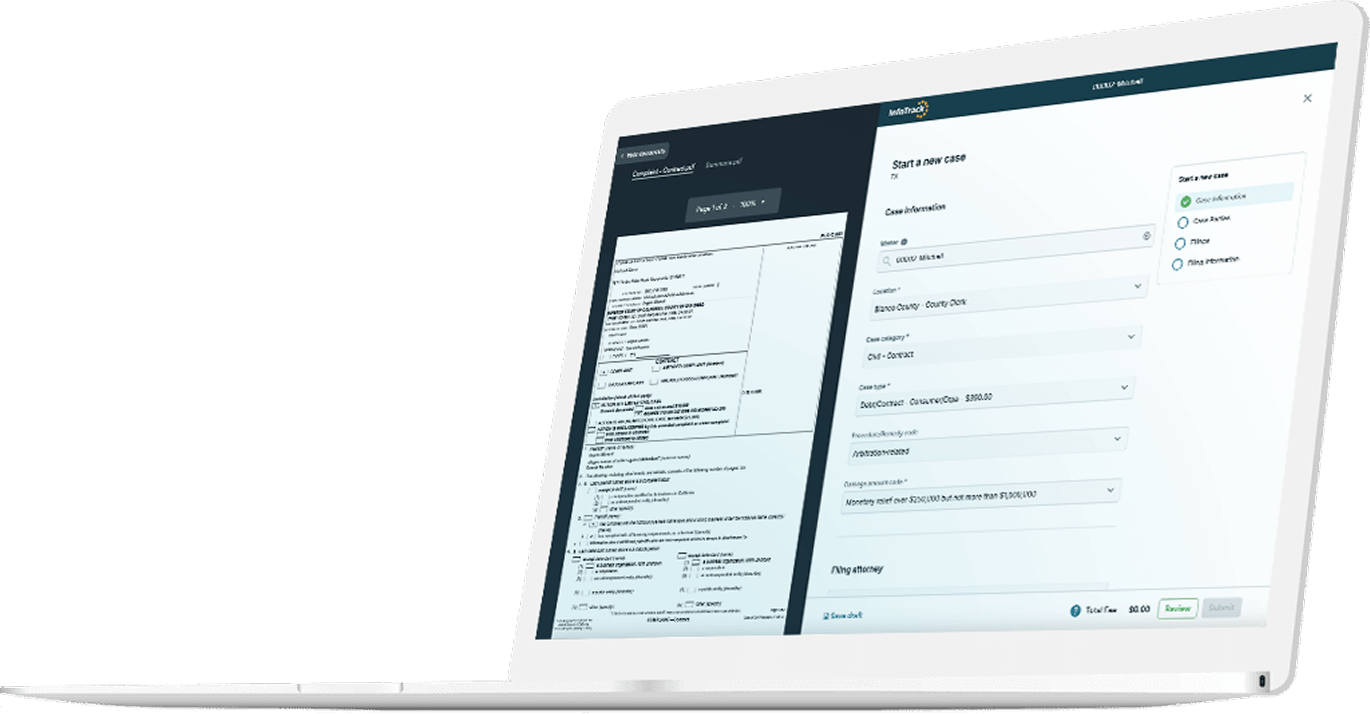
Whether or not an LLM turns out to be the right tool to support your work, you may still find other AI tools valuable. Legal-specific research tools, like CoCounsel or Harvey, and AI-enabled workflow platforms like InfoTrack use AI to support more parts of the litigation process. For example, InfoTrack uses AI to read the documents users upload and auto fill 95% of filing form fields, making it possible to eFile documents in under 30 seconds and cut rejection rates in half compared to filings that required manual data entry.
Sign up for an InfoTrack account today to see how the right legal AI can help your team file documents, serve process, and sync court updates more efficiently.