.png?width=765&height=430&name=Blog%20header%20templates%20(38).png)
According to the 2026 Legal Industry Report from 8am MyCase, as many as 69% of legal professionals report using generative AI tools for work-related purposes. Compare that to the 40% of workers across all professional services who say their organizations are using generative AI and it appears the legal industry is ahead of the curve in AI adoption.
AI holds enormous potential for busy legal professionals who must review lengthy documents and sift through large amounts of evidence to research and build their cases, but caution is necessary before going all in on AI.
Litigators who didn’t exercise proper restraint when using AI in their work have already gotten in trouble for submitting filings that contained incorrect information. One study conducted through Thomson Reuters Westlaw found 22 different cases where filings cited non-existent cases in just one month of 2025 alone. Many of those filings resulted in disciplinary actions.
To avoid similar consequences, it’s essential for litigators to understand what AI can and can’t do to support their workflows.
Before you start incorporating AI into your work, understand the right (and wrong) use cases for AI, the risks to account for, and the areas where human oversight is irreplaceable, so you can reap the benefits of AI without making critical errors that could compromise your case — or even your career.
Key takeaways:
- Most legal professionals are already incorporating AI into their workflows.
- AI is more than large language models (LLMs) and litigators who use a variety of AI tools will reap the greatest benefits.
- There are critical limitations to what AI can be trusted to do, so litigators must be aware of the legal, ethical, and security risks of using AI before implementing AI tools.
What are the benefits of AI for litigators?
Litigators who use a variety of AI tools can realize significant benefits, not just when working with documents, but across their workflows. You can think of AI as an assistant at every step of the litigation process, simplifying tasks and speeding up your work.
- Reduced manual labor and time savings: Summarizing lengthy documents can save hours of reading time, helping litigators quickly locate the information they’re looking for. Instead of combing through hours of deposition materials, for instance, AI tools can help you identify the most pertinent pieces of information revealed in an interview. AI can also speed up the discovery process by searching large amounts of evidence for key details.
- Overcoming the blank page: Even litigators can get writer’s block. When used to draft early versions of documents, AI can help overcome the initial overwhelm of trying to condense large amounts of information into cohesive pleadings or compelling motions.
- Improved grammar and clarity: If punctuation and spelling aren’t your strong suit, AI can provide critical support to make sure your documents and filings are free of these common mistakes.
- Error reduction: Legal-specific AI tools can help check your filings against local rules and your own documents, so your filings aren’t rejected for simple errors like incorrect case numbers or misspelled names.
What are the risks of AI for litigators?
There’s no shortage of cautionary tales clearly demonstrating why litigators must be discerning when they use AI. AI is a support tool, not an authority, and its output must always be subject to human review.
- Hallucinated information: AI is known to make up information to respond to a request when it can’t find a legitimate answer or source. Never assume that the information you receive from an AI tool is 100% accurate. Be sure to check all citations and verify all facts surfaced by AI.
- Compromised client confidentiality and privilege: Uploading sensitive client information, including privileged communications and protected work product, can compromise client-attorney privilege and open the door for legal action against yourself or your firm. Never share such information with unauthorized AI tools and be sure to follow your firm’s policies on AI use. If your firm doesn’t have an AI policy in place, you should develop one before implementing AI tools.
- Incorrect legal analysis: Just because AI can process large quantities of information in a short period of time, doesn’t mean it will be able to make the correct conclusion from that data. Never let AI take the place of your legal education and experience, which is essential to analyzing a case and developing a sound legal argument.
How are lawyers using AI?
According to the 2026 Legal Industry Report report, legal professionals who are currently using AI for work are finding it most helpful in three key areas: administrative tasks, research, and document management.
- Administrative tasks: Drafting correspondence is the number one task legal professionals are using general-purpose AI for, with 58% of them using AI to keep up with their communications. AI is also being used to create marketing (22%) and training (18%) materials, as well as to analyze law firm data (18%) and manage knowledge (18%), either individually or across teams.
- Research: More legal professionals (58%) are using common AI tools for general research than legal-specific research (38%) but those numbers shift when professionals move from general-purpose tools to those specifically designed for legal tasks. Legal-specific tools are used for legal research by 58% of attorneys surveyed.
- Document creation and management: Attorneys are using general purpose AI tools to summarize documents (47%), as well as creating document templates (39%) and drafting original documents (43%). When using legal-specific AI tools, 36% of legal pros use AI to edit documents as well, highlighting the value of tailored tools to support more specialized workflows.
How can litigation teams use AI?
AI is best used to supplement, not replace, your legal expertise and oversight. Used correctly, it can save you significant time and effort.
Accelerating legal research
AI can help summarize cases and statutes and identify relevant precedents. You may even find it helpful in explaining unfamiliar legal concepts or procedural rules but remember that AI can still hallucinate answers and citations, so never take AI at its word in legal matters. Always double-check the conclusions drawn by AI summaries and verify any citations.
Summarizing discovery and evidence
Litigators can save hours using AI to sort through extensive case information and find critical details. You can quickly locate relevant pieces of evidence or organize a case timeline using AI tools.
Preparing for depositions, hearings, and trials
AI can analyze case documents and help to generate questions or arguments for use during interviews or examinations. Using AI to help brainstorm for these instances can help you hone your argument and plan multiple lines of questioning to get at the truth, even when questioning a difficult witness.
Writing first drafts of documents
An LLM can help you organize your thoughts, develop outlines or documents templates, and otherwise help you get started drafting a lengthy legal document. While AI should never be used to generate final drafts of these documents, using it early in the process can save a lot of time and make the final drafting process easier.
Improving your writing
An LLM can also be valuable as a copy editor, checking grammar, spelling, and clarity to make sure your documents are error-free and effective at communicating your argument.
Reducing errors in filings
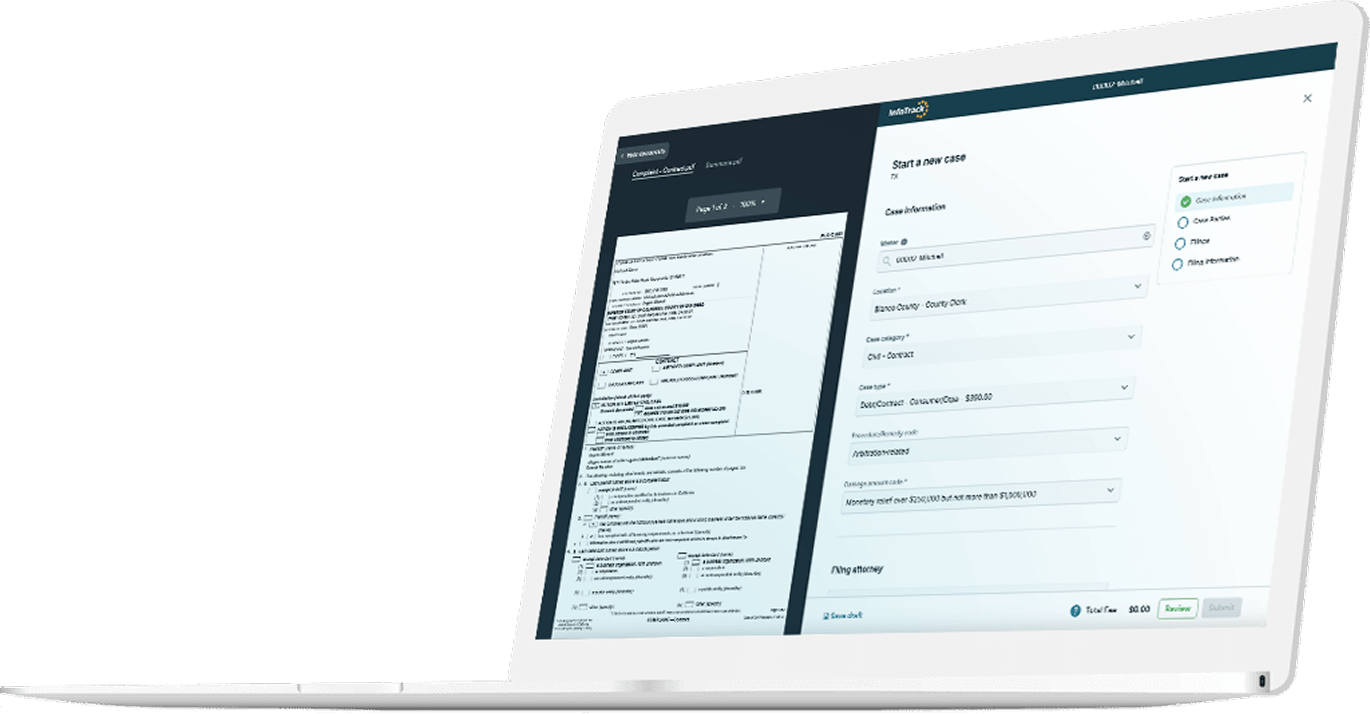
Similarly, AI can check filings for errors like incorrect case numbers or filing codes. For example, InfoTrack uses AI to read the documents users submit and auto fill form fields with information from those documents. As a result, InfoTrack users see their filings rejected about half as often as the average filing.
Automating filing and admin tasks
The less time litigators have to spend on administrative tasks, the more hours they can bill. AI can help improve a firm’s efficiency by generating meeting summaries and notes, drafting communications, and managing tasks.
The worst ways litigators can use AI
Litigators are currently using AI across many aspects of legal work, but that doesn’t mean it can be used for every task or eliminate the need for oversight from qualified legal professionals. Using AI for the wrong purposes can be risky and unethical.
Citing case law
AI should never be used to generate citations in a legal document. Because LLMs are trained to be helpful, they will often invent answers—including fabricated sources and citations—when they can’t find an existing one. Be sure to double check citations in critical documents, protecting yourself from an error that could compromise your case.
Accessing confidential client information
Litigators must be especially cautious when exposing their client’s information to AI. Make sure you are in compliance with your firm’s AI and security policy. With the right safeguards in place, you may be able to upload client information to a closed AI tool that will not use the data for training, preserving your client’s right to confidentiality. But always play it safe when it comes to your responsibility to your client.
Guaranteeing compliance with rules
You can use AI to help check your work against local rules and catch mistakes that could lead to a filing getting rejected, but you should never rely on AI to ensure compliance with local or court rules. AI is not accurate enough to be entrusted with critical checks like this, which must be overseen by a legal professional.
Making legal analysis
AI should never replace your professional judgement. While AI can analyze data, it can never truly understand the law. As an attorney, you have the ethical responsibility to provide competent representation to your client, and that includes using your expertise for legal analysis.
Final reviews
Even when using AI for tasks like copyediting, a human should always have the last look at work product.
AI tools for litigation
Most AI users are familiar with tools like ChatGPT or Claude, but there is a growing market for legal-specific AI tools that are better suited to the kind of tasks litigators need support on.
ChatGPT and other LLMs
Large language models (LLMs) are text-based general-use AI tools primarily trained on written materials. Since attorneys regularly work with lengthy documents, the chatbot-style interfaces and text output of LLMs are most litigators’ first introduction to AI tools.
- ChatGPT is useful for creating outlines and first drafts of documents, creating case chronologies, and preparing deposition questions.
- Claude is generally preferred for analyzing lengthy documents, reviewing contracts and pleadings, summarizing discovery materials, and working with large case files.
- Microsoft Copilot is integrated with Microsoft’s productivity tools, and is therefore especially helpful in drafting emails, summarizing meetings, and searching internal documents and knowledge repositories.
- Gemini integrates with Google Workspace tools, making it an appealing choice for users of those tools, but it is best used for general brainstorming and summarization, rather than deep legal research.
Legal-specific AI tools
While you may hear more about the free or affordable general-purpose AI tools currently available, purpose-built legal AI tools can produce better results for legal tasks.
- CoCounsel is built on existing LLMs but tailored to legal use, making it a better choice for research, or reviewing and drafting documents.
- Lexus+ AI integrates conversational, LLM-based AI into the LexisNexis research ecosystem to better support legal research tasks. It offers document upload and analysis, case summarization, and case analytics. According to a study in the Journal of Empirical Legal Studies, Lexus+ AI has one of the lowest hallucination rates among legal AI tools.
- Westlaw AI-Assisted Research is designed for primary law research involving case law, statutes and regulations, and is helpful in developing litigation strategy and arguments.
- Ask Practical Law AI is intended to search secondary sources, like practice notes, to assist in learning new areas of law and drafting templates or guidelines. Ask Practical Law AI has a relatively low hallucination rate that compares to Lexus+ AI.
- Harvey is built on ChatGPT models but trained extensively on large quantities of legal data to more accurately assist with legal tasks. It can be used for similar research and document management purposes as ChatGPT, but with the benefit of tailored training.
Advanced AI tools for litigation case management
We've only begun to realize the potential AI presents for legal professionals. Both Harvey and CoCounsel are currently developing AI agents that can perform multi-step tasks, but agentic AI is still in its early stages and will likely develop further in the near future.
Platforms like InfoTrack are also integrating AI into legal workflows to save legal teams time and effort. InfoTrack uses AI to auto fill 95% of form fields when eFiling, cutting filing time to as little as 30 seconds while helping to eliminate the kinds of data entry errors that can lead to rejections.
Book a personalized demo to see how InfoTrack can help your team realize the benefits of AI for your workflows, or sign up right now to see how it works for yourself.

People also ask
Will AI replace litigators?
AI cannot replace human legal expertise, training, and experience. It should only be used to support human-led litigation workflows and its output should always be subject to human review. While legal-specific AI tools may seem especially powerful, AI cannot replace legal professionals.
Is AI legal for lawyers to use?
There are legal and illegal ways litigators can use AI. To ensure your use of AI is legal, follow guidance from your bar association, as well as your firm’s AI and security policies, and always check your use of AI tools against your responsibility to make truthful statements to the court, to protect the privacy and confidentiality of your clients, and to provide your clients competent legal representation.
Is it ethical for lawyers to use AI?
Whether AI use is ethical or not depends on how AI is used. Litigators must ensure that their use of any tools does not compromise their duty to provide competent, confidential representation to their clients. And just as when working with teams of legal professionals, attorneys must perform their duty to supervise work completed with the assistance of AI and take responsibility for the accuracy of the work product. Incorrect use of AI could result in a violation of your candor toward the tribunal if you submit documents that contain hallucinated citations or facts. Consult sources like the ABA’s formal opinion on Generative Artificial Intelligence Tools to ensure your use of such tools complies with professional guidance.
Should litigators use AI?
Every litigator must weigh the potential benefits of AI with the responsibility to ensure ethical and accurate use of AI tools before implementing such tools in their work. Be sure to establish a firm AI policy and provide proper training to employees to make sure you are upholding your duty to use AI responsibly before you implement AI in your firm.