Move key litigation tasks into the same place you manage cases, with fewer clicks and less admin.
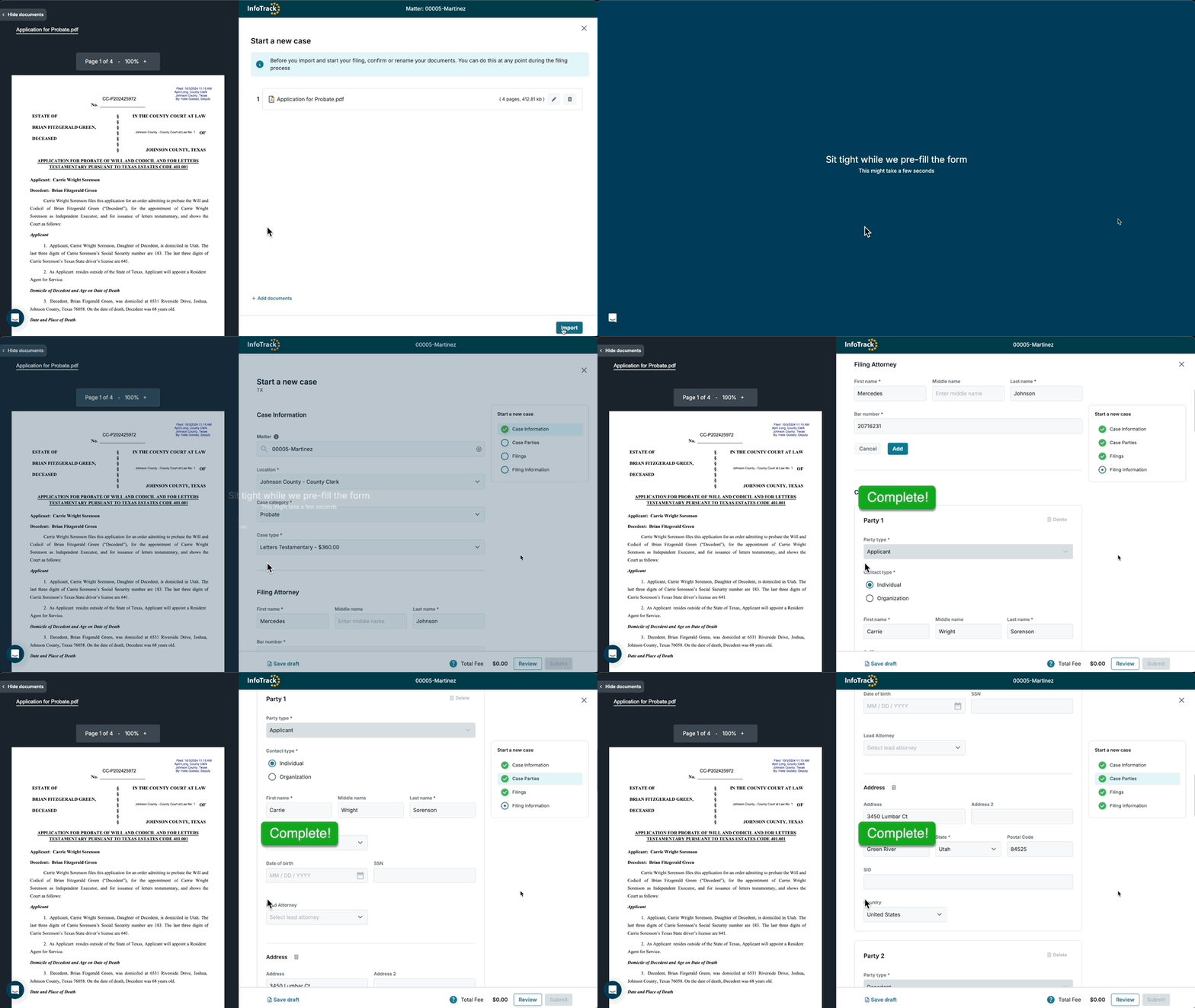
Auto-filled fields and synced documents eliminate repetitive typing across filings and service requests.
Smart checks and data pulled from your documents help reduce common filing errors before they happen.
Filed documents and proofs of service return instantly to the correct Filevine project — no uploads, no chasing.
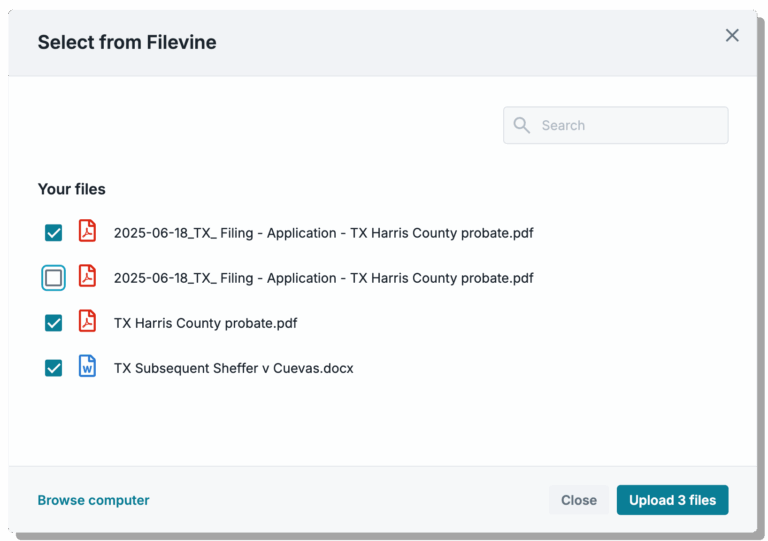
Select what you need to file or serve directly from your Filevine project — no switching tabs, no exporting files.
InfoTrack pulls what it can from your documents to pre-fill order fields so you spend far less time typing and more time on billable work.
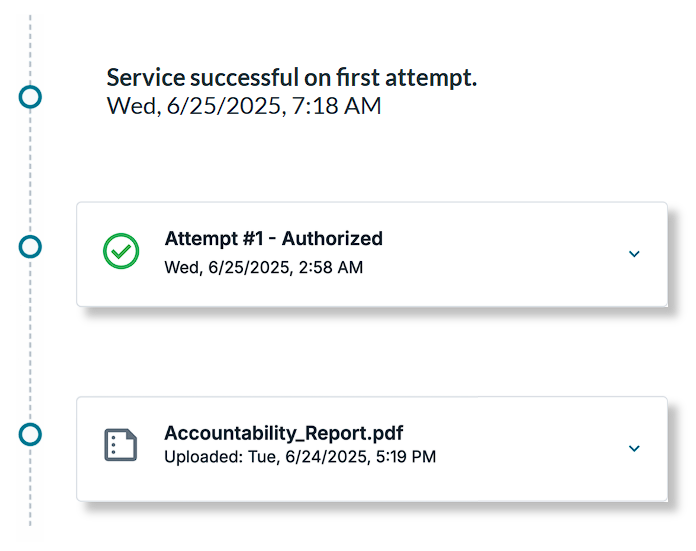
Follow your filing or serve status through InfoTrack, and access key evidence of job completion.
"Having [InfoTrack] take care of the billing has just been such a great time saver for me."
Kara Schacher
Principal, Schacher Family Law“ With InfoTrack, I can file my documents, costs are automatically updated in Filevine, and I receive the conformed filing when it's approved.”
Nathaniel Campos
Litigation Paralegal, Jalilvand Law Corporation“InfoTrack's customer support has always been very responsive.”
Leah Vulic
Law Clerk, Kronenberger Rosenfeld
What does InfoTrack do?
How do billing and payments work?
InfoTrack covers the upfront cost of each order, then bills your firm monthly. Here’s how it works.
Can I really file and serve documents in under a minute?
How accurate is InfoTrack at pre-filling order data?
How can I add team members to my firm’s account?
Admins can add or edit users in just a few clicks. Here’s a quick guide to walk you through it.
Get a walkthrough tailored to how your team files, serves, and tracks litigation work within Filevine—or help with activation.
Partnerships
Support
©2026 All Rights Reserved | General terms - Privacy policy - Accessibility statement