
Law firms live and breathe complex work, but much of the energy spent in litigation isn’t on strategy or arguments — it’s on tedious administrative steps. That’s where litigation support automation comes in.
If you’ve ever found yourself bogged down by repetitive filing tasks, endless data entry, or the constant back-and-forth of case management, you’re not alone.
Litigation support automation is the solution.
It removes the manual, error-prone parts of litigation workflows so professionals can focus on higher-value work. Think of it as a digital assistant that quietly handles routine tasks in the background.
The result?
Cases move faster, deadlines are easier to track, and your team avoids the mental fatigue that comes with managing every small detail.
In this article, we’ll break down what you need to know about automated litigation support, how to decide what tasks to automate, and the tools best suited to help law firms take their first steps into litigation automation.
What you need to know about litigation support automation
When some people first hear about litigation support automation, they imagine software replacing paralegals or attorneys.
That’s not what’s happening.
In fact, automation is most effective when it works in tandem with skilled legal professionals — streamlining repetitive, time-consuming work so teams can devote their expertise to strategy and client service.
The core idea is simple:
You identify repeatable support tasks and let technology handle them.
For example, automation can:
- Auto-fill forms with client or case data that would otherwise be typed manually
- Track deadlines across multiple cases without relying on sticky notes or spreadsheets
- Generate notifications when filings are accepted or rejected
- Route documents securely to the right person or department
Obviously, this is not a wholesale replacement of staff, but a toolkit that reduces friction in everyday workflows.
That said, there are important boundaries.
Litigation automation is best suited to administrative or procedural tasks — not to the nuanced judgment required for legal analysis, courtroom advocacy, or complex client communications.
In other words: you’re still the expert, but you’re letting technology clear the path so you can practice at the top of your game.
In the sections ahead, we’ll walk through how to evaluate your firm’s processes, what to look for in automation tools, and how to avoid common pitfalls when starting out.
How to start automating your litigation workflow
The first step toward litigation automation is understanding your current processes.
Every business, from retail to finance, goes through the same initial stage: auditing workflows.
In a law firm, this means asking hard questions about where time and resources are being lost. Are paralegals spending hours re-entering the same data? Do attorneys frequently scramble to track down filing receipts? Are missed deadlines creating unnecessary risk?
Once you’ve mapped out the pain points, you can start identifying opportunities for automation. A good rule of thumb is to look for tasks that are:
- Repetitive: Activities like form population, document routing, or invoice tracking.
- Rules-based: Processes that follow a consistent pattern, such as eFiling or generating reminders.
- Low-value but high-frequency: Work that doesn’t require legal judgment but takes up significant time.
This doesn’t mean every inefficiency is fair game.
Law firms face unique considerations around client confidentiality and data security. For example, while businesses in other industries may casually integrate off-the-shelf productivity tools, legal professionals must ensure that any automation involving privileged data complies with strict ethical and regulatory standards.
That’s why it’s a good idea to start with tasks that don’t directly touch client secrets — such as expense tracking or internal task management — and use tools that are purpose-built for law firms when you automate more sensitive tasks.
Choose the top three processes that drain the most time, and start looking for automation options.
This focused approach prevents overwhelm and helps ensure you see measurable benefits early on.
In short: begin like any other business would, but keep your profession’s higher bar for security in mind. With the right roadmap, litigation support automation can transform your firm’s operations without compromising ethics or client trust.
Research the best automation tools for law firms
Once you’ve identified the top processes to automate, the next step is choosing the right tools.
Not all automation platforms are created equal, and in the legal industry, a poor choice can lead to compliance headaches or costly inefficiencies.
When evaluating automated litigation support solutions, keep three factors front and center:
Security
Security isn’t optional in law.
Confidential documents and client data are privileged materials, and using the wrong tool can expose your firm to serious liability.
Avoid generic platforms that don’t explain where data is stored or how it’s protected.
For example, dropping sensitive pleadings into a consumer-facing AI chatbot could expose client information to third parties. Instead, look for legal-specific tools with encryption, audit trails, and compliance certifications.
Integration
Automation works best when tools don’t create more silos.
It’s easy to fall into “tech bloat” — adding one solution for client communication, another for billing, another for document routing — until your staff spends more time juggling platforms than they would have spent doing things manually.
Instead, look for systems that integrate directly with your case management software.
If your heart is set on a tool that doesn’t integrate, you might still be able to connect through middleware tools like Zapier. The goal is to create one seamless litigation workflow rather than a patchwork of disconnected apps.
Impact
The best automated litigation support methods are those that make a meaningful difference every day.
Think of it like a thermostat: you don’t touch it constantly, but it works around the clock.
In the same way, automating daily tasks reduces decision fatigue and mental load. Over time, these small but steady improvements free attorneys and staff to focus on client service and case strategy.
By measuring every potential tool against these three criteria, you’ll avoid wasted investment and instead build a reliable foundation for long-term litigation automation.
Top tools to consider for litigation support automation
With the fundamentals in place, the question becomes:
Which automation tools can actually make a difference in your litigation practice?
The good news is that there are already proven platforms designed for law firms. Here are a few categories to explore as you take your first steps into automated litigation support.
Case management systems
Your case management system (CMS) should be the backbone of your litigation workflow.
More than half of law firms already use one, but if you don’t, adopting a CMS should be your first move. Modern platforms integrate calendars, task lists, and client communication — all of which can be automated to reduce manual oversight.
Without this foundation, every other automation effort becomes harder to scale.
Litigation support for eFiling and process serving
In litigation, eFiling and ordering service of process are parts of your daily to-do list.
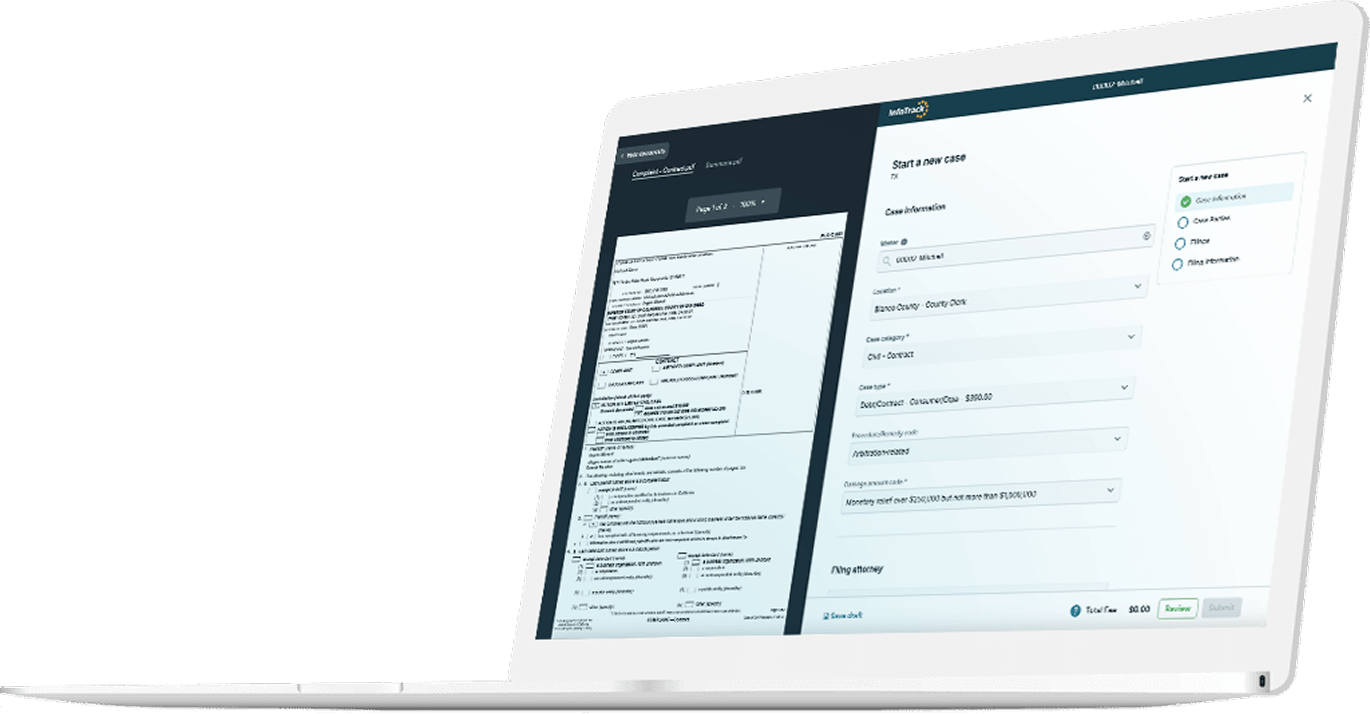
This is where InfoTrack comes in. With InfoTrack Intelligence, firms can eFile in 30 seconds or less, with users reporting impressive speed improvements over manual processes and half as many filing rejections.
The platform also automates expense tracking, integrates seamlessly with case management systems, and can arrange process serving in under 20 seconds.
For firms that spend hours each week on filing alone, the time savings — and reduced frustration — can be transformative.
Workflow automation platforms
If your CMS doesn’t fully cover workflow automation, tools like Caret Legal can help fill the gap.
Designed with multi-office and hybrid (i.e., office and remote worker) firms in mind, Caret Legal automates task assignment, document tracking, and even non-legal business processes. This makes it a strong option for firms that need to streamline operations across jurisdictions or practice areas.
Document and communication automation
For high-volume litigation firms — especially those handling repetitive matters like insurance defense or debt collection — software such as LegalMation can generate initial drafts, automate subpoena responses, and even use chatbots for basic client communications.
These tools don’t replace attorney review, but they can significantly reduce the manual effort required for predictable, rules-based tasks.
Conclusion
Adopting litigation support automation doesn’t mean overhauling your entire practice overnight. It means strategically targeting repetitive, rule-based tasks with the right tools so attorneys and staff can focus on higher-level legal work.
The benefits go beyond a simple productivity boost.
Firms that embrace litigation automation also create the bandwidth to deliver better service and more consistent results for clients.