File and serve court documents right from Filevine

Move key litigation tasks into the same place you manage cases, with fewer clicks and less admin.

filevine white

90%

Less manual data entry

Auto-filled fields and synced documents eliminate repetitive typing across filings and service requests.

Fewer rejections

By validating before submission

Smart checks and data pulled from your documents help reduce common filing errors before they happen.

100%

Of court-stamped documents auto-synced

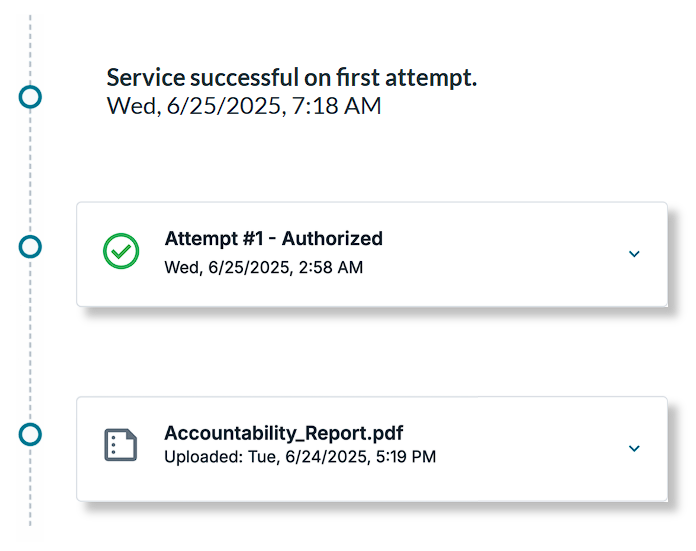
Filed documents and proofs of service return instantly to the correct Filevine project — no uploads, no chasing.

How it works

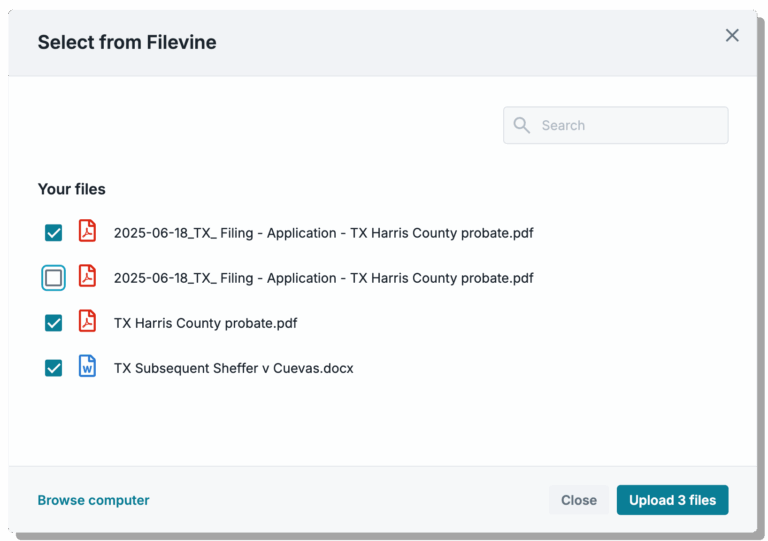
infotrack-select-documents-filevine-1-768x541

STEP 1

Pick your documents

Select what you need to file or serve directly from your Filevine project — no switching tabs, no exporting files. 

Need help with your Filevine integration?


This is what integrated eFiling feels like:

"Having [InfoTrack] take care of the billing has just been such a great time saver for me."

kara

Kara Schacher

Principal Schacher Family Law

“InfoTrack made eFiling much easier for me. I no longer need to add expenses to Filevine as they accrue.”

lisa

Jeremy D.

Legal Assistant, InfoTrack

“Everything transfers back automatically — it’s just easier.”

leah

Gosia B.

Administrator, InfoTrack

Why firms rely on InfoTrack

Practical gains team see after switching
checkmark

Less time on admin

Routine court tasks no longer eat into billable hours.
checkmark

Fewer rejected filings

Validation and data consistency reduce avoidable errors.
checkmark

Faster team onboarding

New staff complete court tasks correctly, sooner.
checkmark

Cleaner case records

Documents and updates stay organized automatically.

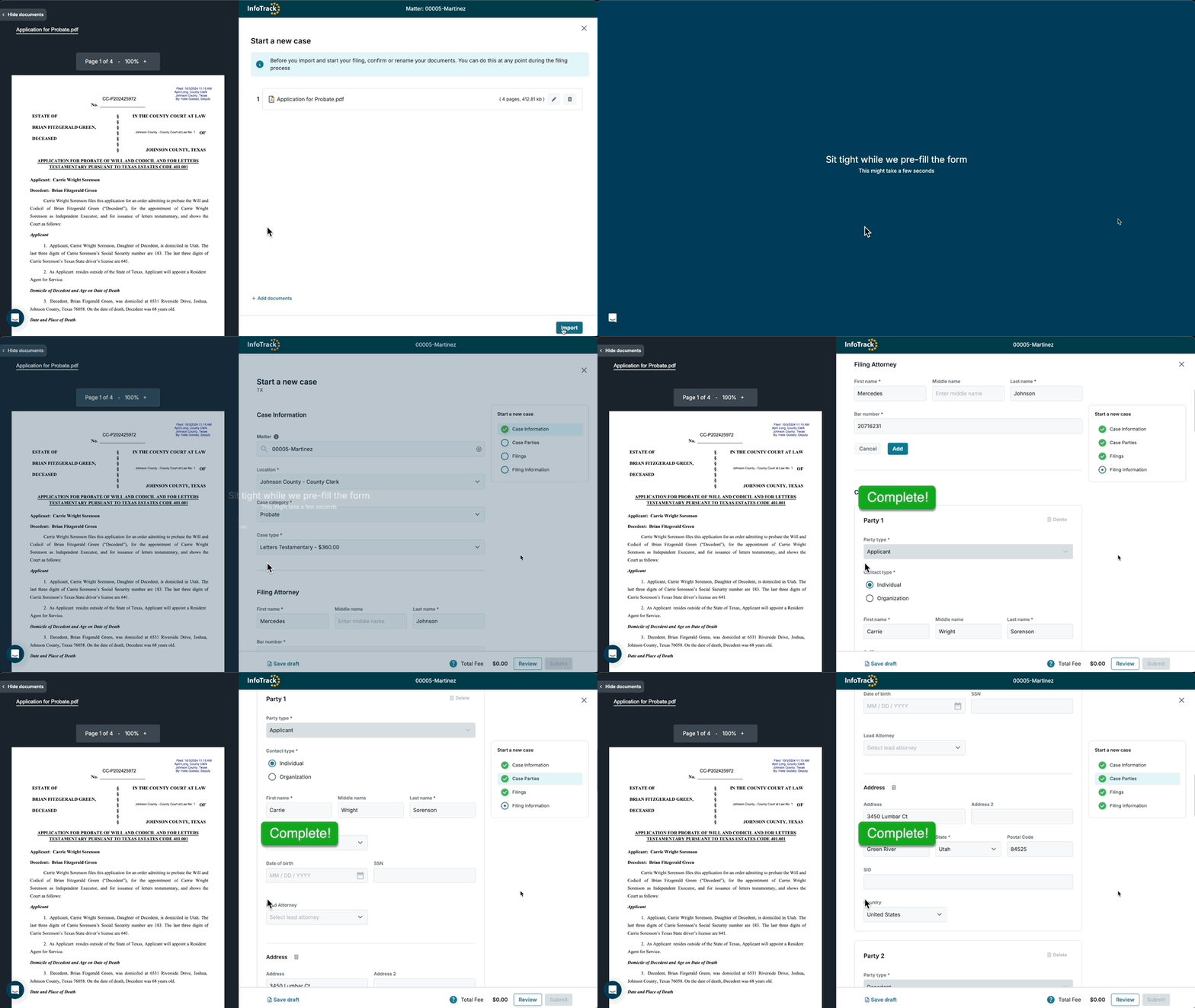
Watch the integration in action

33915733306434fd3bbbebc0599c77ff

Resources

Avoid these common process serving mistakes

Avoid these common process serving mistakes

Legal experts offer their advice for ensuring accurate and timely service of process.
How tech-enabled paralegals are reshaping litigation workflows

How tech-enabled paralegals are reshaping litigation workflows

Paralegals have the opportunity to lead the way when it comes to optimizing workflows. Here's how to be an innovation champion at your firm.
InfoTrack now integrates with Filevine for smarter eFiling and process serving

InfoTrack now integrates with Filevine for smarter eFiling and process serving

Filevine users can now order court filing and process serving in seconds directly from their Filevine projects, with all expenses tracked.

Questions & Answers

What does InfoTrack do?

InfoTrack connects with your legal software to handle tasks like eFiling, process serving, and eSignatures—all in one place. It syncs your client, case, and billing info automatically, helping you work faster, stay organized, and boost profitability.

How do billing and payments work?

InfoTrack covers the upfront cost of each order, then bills your firm monthly. Here’s how it works.

Can I really file and serve documents in under a minute?

Yes. InfoTrack finds data already appearing on your documents and in your primary legal software, and uses it to pre-fill your litigation service orders. With far less typing to do, you’ll have more time to focus on billable work.

How accurate is InfoTrack at pre-filling order data?

We’ve found InfoTrack Intelligence to be 99% accurate in random testing, exceeding the accuracy of human filers. Uploaded documents take up half the screen in our order workflows, making it easy to check for mistakes if desired.

How can I add team members to my firm’s account?

Admins can add or edit users in just a few clicks. Here’s a quick guide to walk you through it.

See InfoTrack in action with Filevine

Get a walkthrough tailored to how your team files, serves, and tracks litigation work within Filevine.