.png?width=765&height=430&name=Blog%20header%20templates%20(13).png)
If you use 8am MyCase, you need to know about these lesser-known features. According to Lindsay Bushong, Manager of Sales Engineering from MyCase, too many users miss out on built-in functionality that can enhance workflows, reduce time wasted on repetitive tasks, ensure accuracy, and increase profitability.
“A lot of folks get really excited when they see they have these features they’ve never used before, and it’s nice because we can really help with the financial wellness of a firm,” Bushong says.
She adds that MyCase’s time-saving features help users minimize the compliance risks that can jeopardize their license, and prevent financial losses from un-billed hours, unreconciled payments, and worst of all, disgruntled clients.
Here are the top MyCase features and integrations Bushong recommends for legal professionals looking to boost productivity and enhance strategy in an all-in-one legal business platform built for law firms.
1. Track billable hours instantly with Smart Time Finder
Legal professionals who log their billable hours manually know the great irony of this task. How much time do you spend logging your time?
Smart Time Finder empowers legal professionals with MyCase to capture billable minutes as they happen—without relying on memory later. It tracks time in the background as you write emails, attend meetings, and make calls, it tracks time in the background, creating a log of each activity you perform on your clients' behalf. Instead of playing catch-up later, you can just review the log.
“At the end of the day, they will get an in-app alert to take a look at the Smart Time Finder, and it’s going to show them everything they did,” Bushong says. “It only takes a couple of minutes to do, then you click save to have a detailed time entry, which you can later review within each case file as well.”
MyCase’s integration with other services, including Outlook and Google, gives you the same time tracking automation while performing tasks outside of your case management system. Tracked entries flow directly into invoices and financial reports, reducing revenue leakage and accelerating collections.
2. Make fund reconciliation a breeze with LawPay
Batch Billing with LawPay provides MyCase users with a bird’s eye view of all cases that carry an open balance. This feature can apply trust funds over multiple invoices at once. Invoices support LEDES legal codes and split billing, and each includes a unique, secure LawPay link for clients to pay online.
“That’s nice because the workflows are seamless,” Bushong says. “And it just saves billing specialists a ton of time.”
With Batch Billing, legal professionals can also batch-apply their clients’ trust balances, pulling funds and automatically marking each invoice as paid from trust.
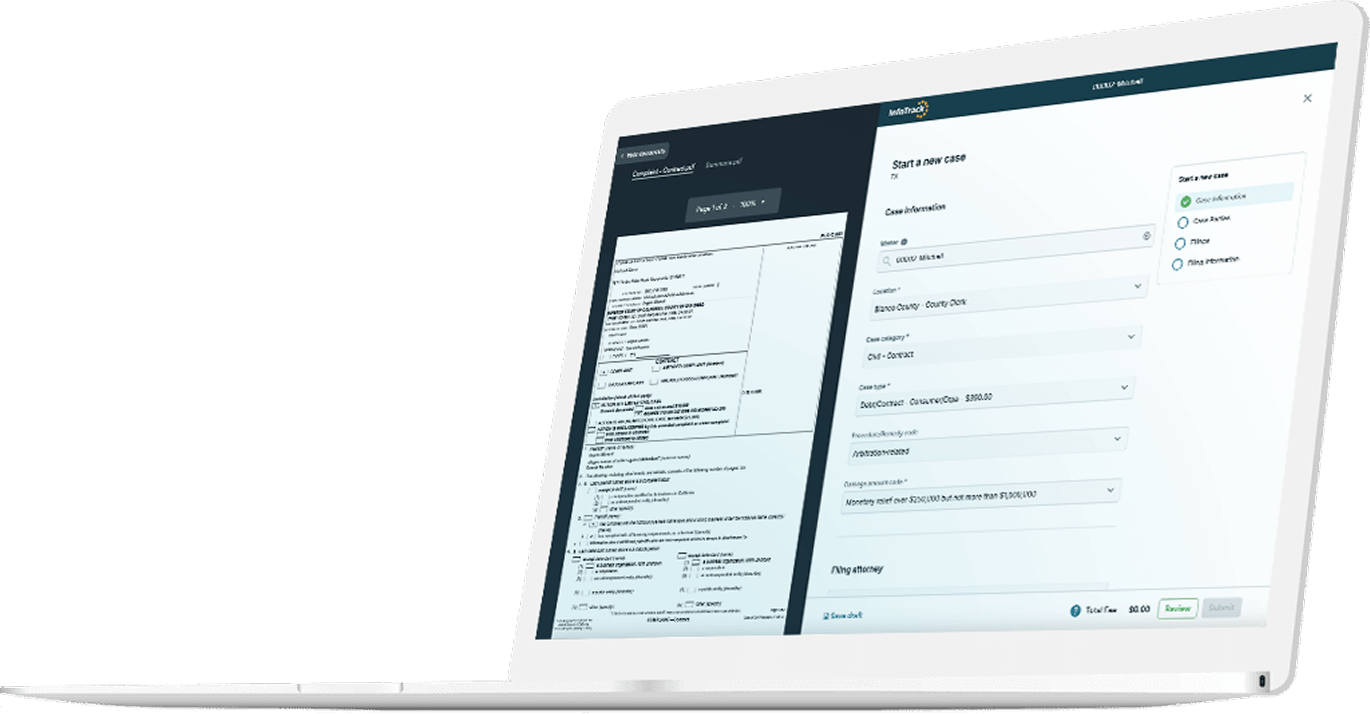
3. eFile court documents 3x faster with InfoTrack
Without InfoTrack, eFiling looks like this: you download documents from your case, format them, go through the state’s web portal, wait for conformed copies, then upload everything back into MyCase.
With InfoTrack, you can eFile directly from your cases in MyCase. Simply select the documents you want to file — InfoTrack will format them for you — and when your filing is accepted, the stamped copies are automatically added to your case file.
The eFiling process is about 3 times faster with InfoTrack, so if you handle a lot of filings every week, those saved minutes add up. This feature tracks your filing expenses and automatically records them to the correct case, too.
4. Generate documents automatically with Document Automation
The perfect complement to the InfoTrack integration, Document Automation gives you a library of handy templates. These templates generate documents automatically by populating client data. Document Automation is a real game changer because you can batch your work, generating PDFs or Word files for multiple documents and forms at the same time.
“You can do as many as you want and tie them to specific roles or specific data in MyCase,” Bushong says.
This includes custom fields and reusable workflow templates for practice-specific tasks and deadlines.
5. Eliminate the tedium of reading court documents with 8am IQ for MyCase
Reading legal documents can be a byzantine and often time-consuming process. 8am IQ for MyCase scans court documents and automatically summarizes them into overviews you can read in minutes instead of hours. You’ll get a quick summary, categorization, dispute resolution, important dates, and more.
6. Limit malpractice risks with integrated accounting
Accurate accounting is non-negotiable. Simple mistakes with your firm’s financial records can mean lost revenue, fines and fees, or malpractice risk. More serious errors can lead to temporary or even permanent disbarment.
“It’s so critical,” Bushong says. “You could lose your entire practice if you aren’t keeping track.”
To mitigate the risk, MyCase offers built-in legal accounting tools including automated three-way trust reconciliation to help ensure IOLTA compliance, real-time expense capture tied to individual matters, and billing, accounting, and case data — all in one system.
MyCase Legal Accounting generates invoices and records payments, time entries, and expenses onto a client ledger based on the legal requirements of the courts. It also provides dashboards and customizable reports that consolidate revenue, expenses, billing, and trust data to surface case-level profitability and delayed revenue.
7. Automate your marketing and client intake with Lead Management
It’s no surprise that law firm advertising can be a major expense. In 2024, law firms spent more than $2.5 billion on more than 26 million advertisements. This poses a significant challenge for those who have no way of monitoring the impact of marketing spend on client intake.
MyCase addresses this issue with a highly customizable lead management dashboard tool that logs the cost of marketing expenses across various media formats with the end goal of tracking the leads each one generates for a firm. Dynamic intake forms with conditional logic make it easy to capture client data and feed it into custom fields, case workflows, and reports.
Aside from scoring the overall profitability of marketing efforts, MyCase streamlines all aspects of the legal customer journey, from a lead or referral to a consultation to accepting a retainer before converting them into clients. Plus, the built-in client portal and two-way texting keep clients informed on the go without switching tools.
Get more done with free resources from 8am MyCase and InfoTrack
From downloadable guides and resources to online training videos, MyCase offers entire libraries of content dedicated to helping legal professionals better manage their practices. Law firms that are currently in the market for a case management system might also want to read a helpful product overview. And if you are a MyCase user who wants to spend less time with repetitive tasks like eFiling and service of process, here's a quick snapshot of how InfoTrack's integration with MyCase boosts the efficiency of law firms.
To see even more time-saving benefits from 8am MyCase, create an InfoTrack account now.

About Lindsay Bushong
Lindsay Bushong brings over 8 years of dedicated expertise in legal technology and software, cultivating a versatile skill set through collaboration with diverse legal professionals. Her journey spans customer support, training, and solution engineering, affording her a holistic understanding of the intersection between law and technology.
Lindsay excels in guiding attorneys to leverage cutting-edge tools, empowering them to unlock their full potential. Her passion lies in facilitating seamless integration of technology into legal practices, ensuring attorneys can navigate the digital landscape with efficiency and excellence.